Redeem your Kiva Card
Enter Your Kiva Card Code
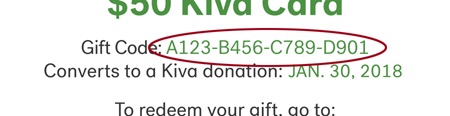
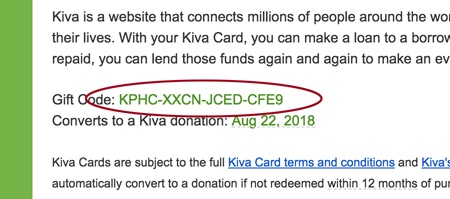
Where can I find my Kiva Card code:
Kiva issues two types of cards. Physical cards are the size and shape of a credit card,while digital cards are emailed or printed from our website.
Physical Kiva Card
Digital Kiva Card
-
1
Choose a borrower
There are hundreds of loans to fund on Kiva. To redeem your Kiva Card start by selecting a loan to support from our list of fundraising loans.

-
2
Click to lend
When you find a borrower you’d like to support, click the “Lend $25” button to add that loan to your basket.

-
3
Make an optional donation
At checkout, you'll have the option to make a small donation to Kiva on top of your loan, to help us cover our operating expenses. Click “Edit” to change or remove the donation amount.

-
4
Register or Log In
When redeeming a Kiva Card you’ll be asked to log into your Kiva account. If you have an existing Kiva account go ahead and login. If you are new to Kiva you will need to register for a Kiva account using Facebook Connect or your email address.

-
5
Enter Kiva Card code
On the “Review & Pay” page of checkout, enter the unique code from your Kiva Card and click “Apply.” To complete your loan, click “Complete Order.”